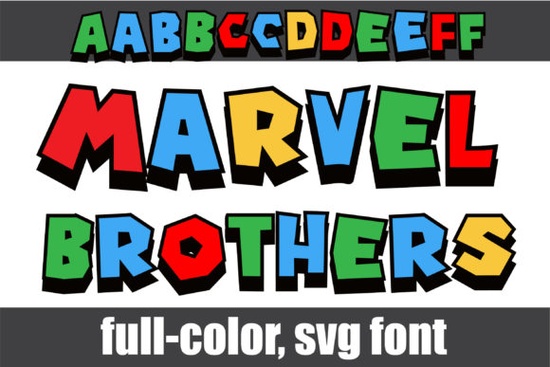
If you’re looking for a bold, playful font that pops with color right out of the box, the Marvel Brothers Font might be exactly what your next project needs. It’s not your average typeface each letter comes pre-filled with bright primary colors and crisp black shadows, giving it that comic-book-meets-street-art vibe without any extra work on your end. Whether you’re designing merch, social media graphics, or party invites, this one adds instant energy.
It works especially well if you’re already using tools like Photoshop, Illustrator, Silhouette Studio, or Inkscape. Just install the Opentype-SVG file, start typing, and watch the letters appear in full color. No layering, no manual coloring it’s all built in. A word of caution though: if you rely on Cricut Design Space, skip the OTF or TTF versions. They won’t render the color properly. Stick to SVG-compatible software for best results.
How do I access the alternate characters?
The Marvel Brothers Font includes a second set of uppercase and lowercase letters tucked away in your system’s character map. These alternates give you more flexibility maybe you want a slightly different “A” or a funkier “g” to break up repetition in your design. On Windows, open the Character Map app, select the font, and scroll to find the extras. On Mac, use the Font Book or the Emoji & Symbols panel (Control + Command + Space) while working in a compatible program.
Pro tip: Pair these alternates with the main set to create rhythm in logos or headlines. For example, try alternating between standard and alt caps every other word it adds visual interest without looking chaotic.
What kinds of projects is this font good for?
This isn’t a subtle serif for wedding invitations. Think loud, fun, and eye-catching:
- Kids’ party decor birthday banners, cupcake toppers, favor tags
- Print-on-demand products mugs, t-shirts, tote bags with punchy slogans
- Social media quotes motivational or funny text that stands out in feeds
- Comic-style branding indie game logos, YouTube thumbnails, zine covers
Because it’s already colored, you save time in post-production. No need to go back and fill paths or match Pantones. That’s a real bonus if you’re juggling multiple client projects or running a small Etsy shop.
Are there similar fonts I should check out?
If you like the high-energy style but want something with a different texture, take a look at the Spiderweb Army font. It leans more into graffiti and stencil vibes, which pairs surprisingly well with Marvel Brothers for layered designs. You could use one for headlines and the other for subtext, or mix them on merchandise for a streetwear feel.
Another option in the same family of colorful display fonts is available under the colorful fonts collection useful if you’re building a toolkit of ready-to-go typefaces for seasonal campaigns or themed product drops.
Why does software compatibility matter so much?
Color fonts like this one use OpenType-SVG technology, which embeds vector shapes and color data directly into each glyph. Not all programs know how to read that yet. Adobe apps handle it fine. So do newer versions of Silhouette and Inkscape. But older or web-based tools (like Cricut Design Space) still treat them as plain outlines meaning you’ll see empty black shapes instead of the vibrant letters you expect.
Before you buy, double-check what software you use most. If you’re unsure, Creative Fabrica’s Ultimate Font Guide walks through installation and troubleshooting for each major platform. It’s worth a quick read even if you’ve used color fonts before settings can vary between updates.
Can I edit the colors after installing?
Yes, but only in programs that support editing SVG glyphs. In Illustrator, for example, you can ungroup the letter and recolor individual parts. In Photoshop, you can apply adjustment layers or blending modes to tweak the overall tone. That flexibility means you’re not stuck with the default red-blue-yellow scheme tone it down for corporate clients or crank up the saturation for festival posters.
Just remember: once you start editing individual elements, you lose the convenience of live text. Convert only when necessary, and keep an untouched version nearby for quick re-typesetting.
Next step: Before downloading, make sure your main design software is on the compatible list. Then grab the Opentype-SVG file, test it with a short phrase like “BAM!” or “POW!”, and see how it feels in your workflow. If you love how fast it works and how bold it looks, you’ve just added a reliable go-to for projects that need to shout not whisper.
Explore Design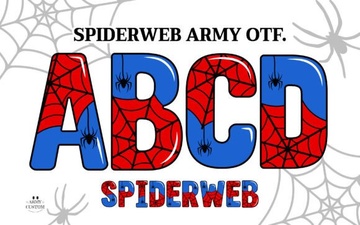 Spiderweb Army Font: Creative Design Projects
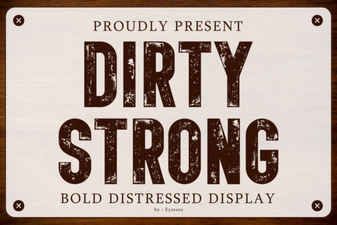 Master Bold Fonts: Design Tips for Dirty Strong Type
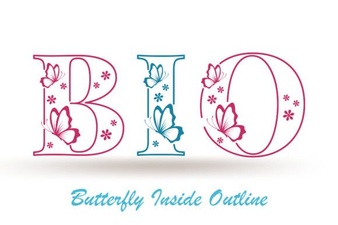 Design a Font with a Butterfly Inside
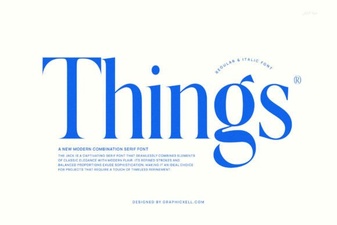 Things Font: Design and Creative Typography Projects
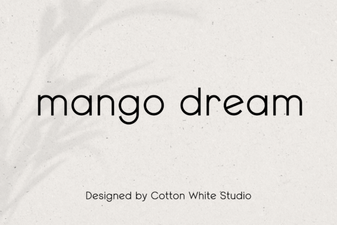 Mango Dream: Font & Creative Project Ideas
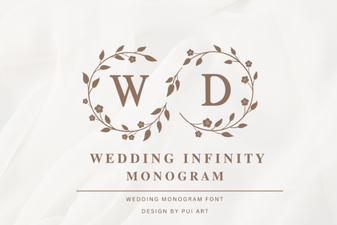 Wedding Infinity Monogram Font Design Ideas